
| Space | Bedroom corner or living-room alcove (~6×7 ft / ~1.8×2.1 m) |
| Budget | $600–$1,400 |
| Challenge | Video calls show clutter; neck pain; desk wobble |
| Goal | Ergonomic, camera-ready, move-out friendly |
Pain Point Bridge
Your "office" is the dining table until someone needs to eat, or a desk facing a window that turns your Zoom call into a silhouette. Shoulder tension by 3 p.m. usually means monitor height and light, not willpower. Renters also cannot drill monitor arms into landlord drywall without a plan B.
This makeover targets a side-wall desk layout in a typical bedroom or alcove: standing option, glare control, and gear you can pack at lease end—priced in essential vs. upgrade tiers so you can stop at $600 or stretch to $1,400.
Who This Is For
- Bedroom-or-alcove WFH without a dedicated office door
- Zoom glare sufferers facing windows or glass desks
- Renters who need monitor arms and desks that leave in a box
Before Scenario
The “office” is a dining chair at a 30 in deep table, laptop on a stack of books, and a window behind you that blows out your face on Zoom. Cables hang to a power strip on the floor. By 3 p.m. your shoulders lock; by Friday the dining table still holds mail you never cleared.
Biggest challenge: The setup fights ergonomics and camera logic at the same time—cheap fixes usually fix neither.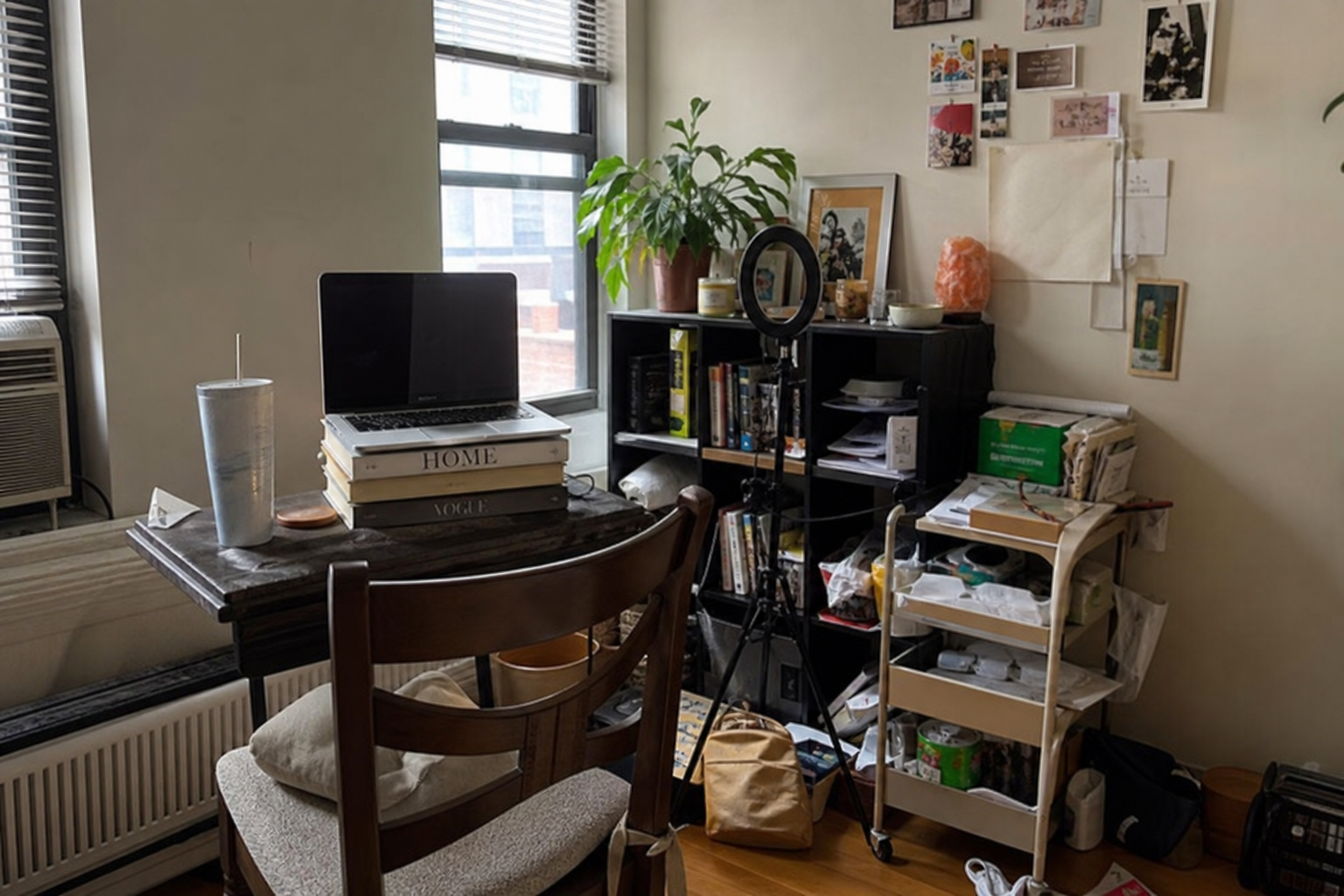
AI Concept
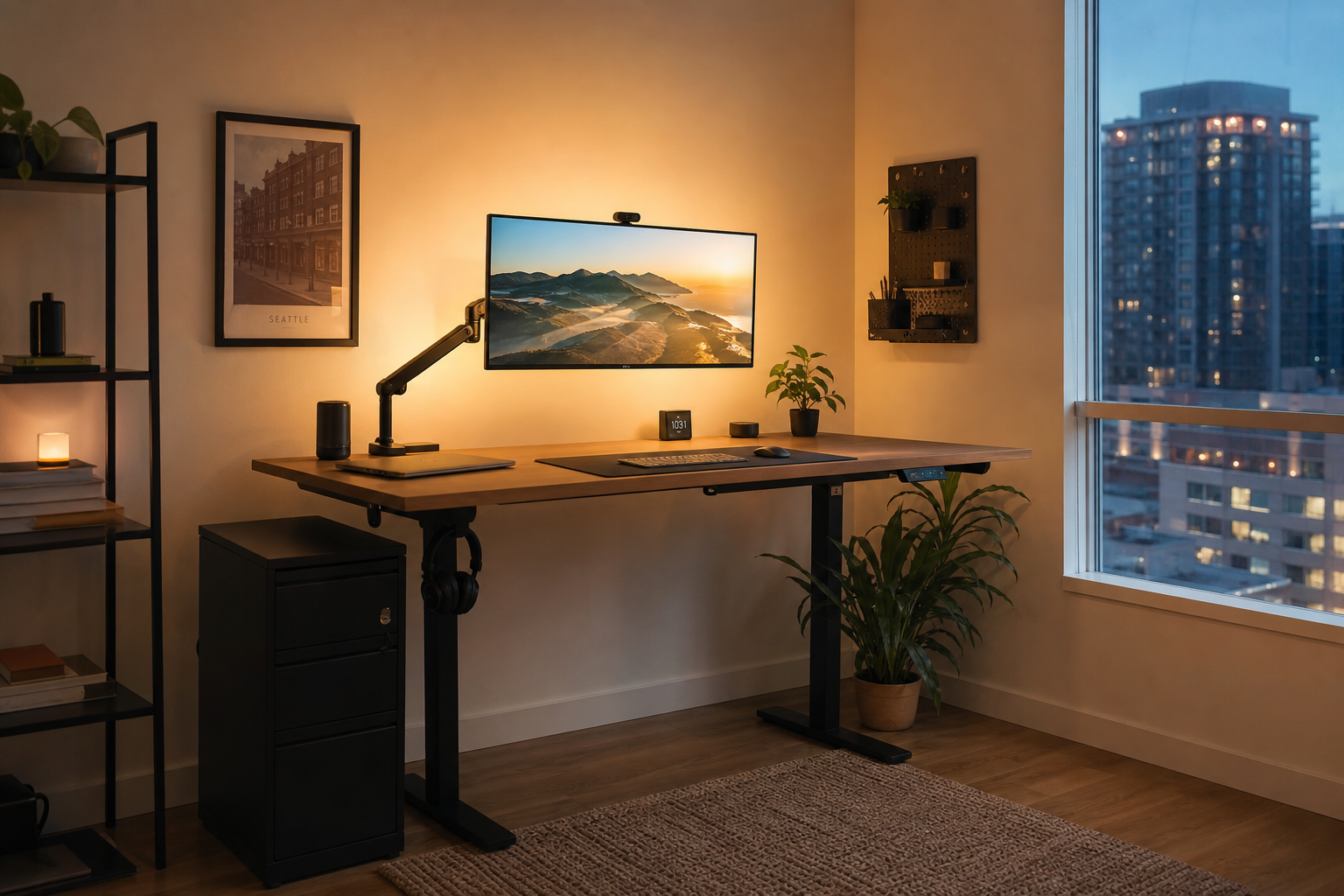
Layout: Standing desk on the short wall so the window is to your side—not behind your head. Monitor arm centers the screen at eye level; laptop closed on a stand for calls. Lighting: Govee light bars behind the monitor for even face fill without blasting the whole room. Acoustic: Closed-back headphones for focus; optional USB mic on a boom for team calls (splurge tier).
Editor Revision
Removed- Wall-mounted pegboard with lag bolts — landlord risk.
- Glass desk — smudges on camera; shows every cable.
- AI proposed dual 27 in monitors on a shallow desk → one arm + laptop for desks under 48 in deep.
| Risk | Severity | Mitigation |
|---|---|---|
| Standing desk shake on carpet | Medium | Low pile rug pad under feet; don’t max height on soft carpet |
| Monitor arm desk clamp marks | Low | Felt pads; clamp only on solid core desk |
| Hot mic picking keyboard | Medium | Cardioid pattern + boom arm 6 in from mouth |
Shopping List

Essential
| # | Product | Est. price | Role |
|---|---|---|---|
| 1 | MONOMI Standing Desk | $150–$250 | Sit/stand cycle; cable grommet |
| 2 | Hbada Ergonomic Office Chair | $120–$180 | Lumbar + adjustable arms |
| 3 | MOUNT PRO Monitor Arm | $35–$60 | Eye-level screen; frees desk depth |
Upgrade
| # | Product | Est. price | Role |
|---|---|---|---|
| 4 | Govee LED Light Bars | $40–$70 | Even webcam lighting |
| 5 | Sony WH-1000XM5 | $300–$350 | ANC for calls and focus |
Splurge
| # | Product | Est. price | Role |
|---|---|---|---|
| 6 | Blue Yeti USB Microphone | $100–$130 | Clear voice on presentations |
Layout Notes
- Camera line: eyes at top third of frame; light in front of you at 45°.
- Desk depth: keep 12 in (~30 cm) clear between keyboard and screen—arm mount helps.
- Cables: one vertical run in a sleeve to the strip—never across the walking path.
- Stand breaks: alternate sit/stand every 45–60 min; chair height still matters.
Alternatives by Budget
| Tier | Total | Includes | Trade-off |
|---|---|---|---|
| ~$400 | Desk + chair | Basic ergonomics | No lighting or ANC headphones |
| ~$800 | + arm + light bars | Camera-ready | No premium mic |
| ~$1,200 | Full list | Add ANC + Yeti | Skip if you use AirPods for calls |
How We Evaluated
- Matched each recommendation to scenario fit (room size, renter constraints, pet/kid realities)—not spec-sheet winners alone.
- Cross-checked public retailer listings and owner-review themes for recurring complaints (noise, odor, assembly, wash durability).
- Price-checked U.S. listings at time of update; we do not guarantee lowest available price.
- Human editors reviewed AI-assisted drafts; we did not conduct hands-on lab testing unless explicitly stated in the article.
What You'll Walk Away With
- A side-wall desk layout that kills glass-desk glare and shoulder hunch
- Essential vs. upgrade tiers from $600 to $1,400
- Editor cuts—monitor arm, light bar, and ANC picks with renter removal in mind
FAQ
Do I need standing desk if I have a good chair?
Chair fixes seated posture; standing reduces afternoon slouch for many people—not required, but useful in studios where the table is also dining.
Will a clamp arm work on IKEA particleboard?
Use a clamp pad and avoid overtightening; monitor arms are best on solid tops ≥0.75 in thick.
Is the Yeti worth it with a laptop mic?
Only if you present weekly+; otherwise try light bars first—they improve video more than audio for most calls.
Related Reading
- Best Multifunctional Furniture for Small Spaces in 2026
- How to Set Up a Smart Home Without Drilling Holes
- Best Smart Lighting for Sleep and Relaxation in 2026
- Best Air Purifiers for Allergies and Asthma (Bedroom-Sized, True HEPA)
- Best Storage for Studio Apartments (Vertical, Movable, Renter-Safe)
- Best Pet-Friendly Sofas for Cat Owners (Scratch-Resistant Fabrics)
AI + Editor Transparency
AI assisted drafting and AI-generated visuals. Editors checked desk depth assumptions and pricing. No paid manufacturer review units unless noted in future updates.
Affiliate Disclosure
HomeGlean is reader-supported. When you buy through links on our site, we may earn an affiliate commission at no extra cost to you. Learn more about how we recommend products.